


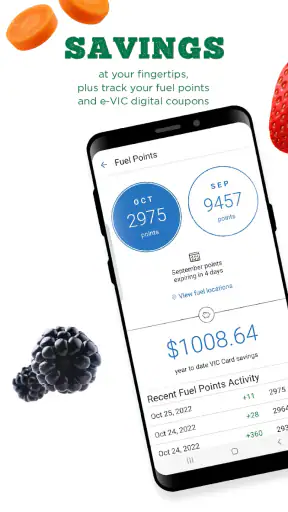
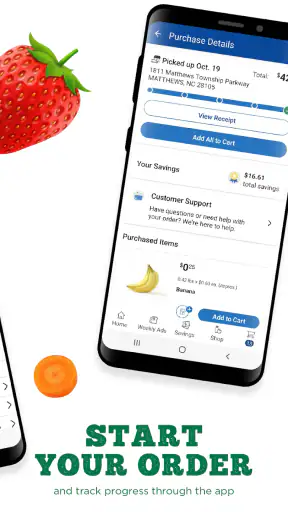
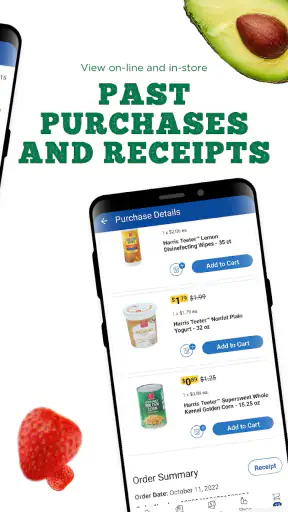
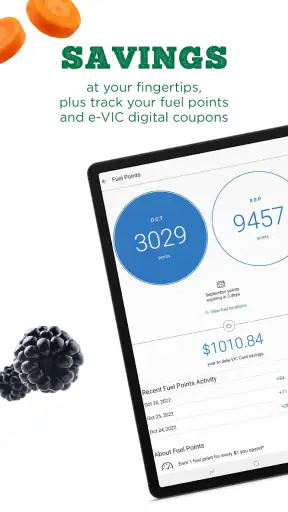
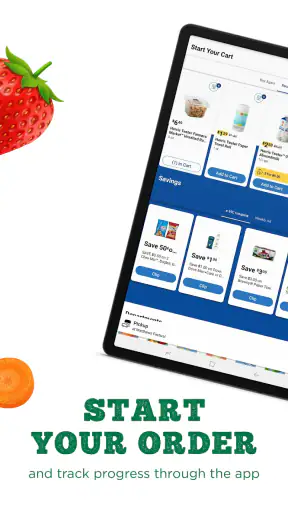
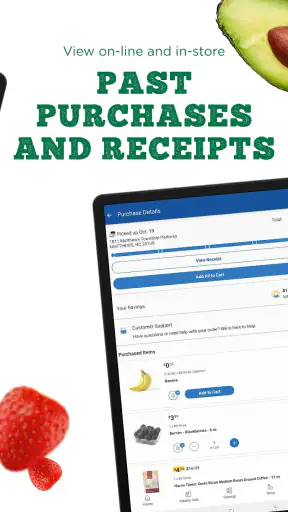
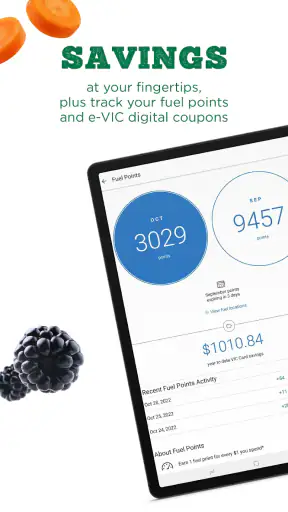
Shopping for groceries through a store app sounds simple until a small setup problem prevents the order from moving forward. My experience with Harris Teeter is that the service is most useful when I treat it as a planning tool rather than a magic shortcut: I check the store area, build the basket carefully, review the selected fulfillment method, and leave enough time to correct anything that needs attention. That approach makes curbside pickup or home delivery much less stressful.
This is a free Food & Drink app from The Kroger Co., aimed at Harris Teeter shoppers who would rather organize a grocery order on a phone than walk through every aisle. It is available for Everyone, runs on Android 8.0 or later, and its current version is 97.2. The app has been around since March 8, 2011, and its 4.3 average from around ten thousand ratings suggests that many users find the basic shopping experience dependable, even though individual results can depend heavily on location, timing, and the particular order.
Getting past the points where grocery orders usually stall
The first place I would look when the app seems unhelpful is not the product search. It is the store and service setup. Grocery ordering depends on knowing which Harris Teeter location should prepare the basket and whether the preferred option is curbside pickup or home delivery. If that information is incomplete, outdated, or set to the wrong area, the rest of the experience can feel broken even when the app itself is working normally.
I recommend starting with the address or store choice before adding a large number of items. A quick check at the beginning can prevent the frustrating situation where I spend time building a basket and only later discover that the selected location is not the one I intended. This is especially important for anyone who shops near a border between store areas, shares a phone with another household member, or alternates between a regular home address and a temporary location.
The next common sticking point is confusing the shopping basket with a completed order. Adding groceries is only one stage. I still need to review the fulfillment choice, confirm the store context, and complete the final steps required by the app. If I close the app after filling the basket, I should not assume that the order has been sent. That distinction is obvious in theory but easy to overlook when I am shopping quickly.
Search can also produce a misleading sense of completeness. A product may be easy to find, but that does not automatically mean it is available for the selected store or suitable for the chosen fulfillment method. I make a habit of checking the actual item details and basket before moving on. For a weekly shop, this is more reliable than trusting a remembered product name or adding several similar results without checking them.
A calmer setup routine
My preferred setup takes only a few deliberate checks. I open the app with a stable internet connection, confirm that I am using the intended Harris Teeter location, and decide whether I want pickup or delivery before building the order. Then I search for the essentials first. If the app asks me to sign in or complete account steps, I handle those before spending time on a detailed basket.
This order of operations matters because it separates account or location friction from shopping friction. If the app cannot establish the right shopping context, repeatedly searching for products will not solve the underlying problem. I would rather confirm the foundation first, then add groceries in groups such as breakfast items, produce, household supplies, and dinner ingredients.
For a shared household, I also suggest keeping a short written list beside the phone. It is easy to lose track of what has already been added when several people are calling out requests. A simple list lets me compare the physical plan with the digital basket and reduces duplicate purchases. This is a small workflow improvement, but it is more useful than trying to remember every item while switching between categories.
Another practical check is the phone itself. Since the app supports Android 8.0 and later, an older device may still meet the operating-system requirement while being less comfortable for extended shopping. I keep the app updated through the normal app-store process and close unrelated apps if the phone is struggling. I would not treat every slow screen as a grocery-service problem; sometimes the device simply needs a restart or more available storage.
Building a basket that is easier to recover
I have found that the safest way to create a larger order is to save the structure mentally, not rely on one long search session. I add the items that are hardest to remember first, then move through the list in a consistent order. This makes it easier to notice a missing staple and easier to resume if the app closes or the connection drops.
When I am buying several versions of a similar product, I pause after each selection to verify the size, flavor, or quantity shown in the basket. Grocery apps are efficient at presenting choices, but speed can work against accuracy. A basket filled with near-duplicates is harder to inspect at the end, particularly when I am shopping for children, following a recipe, or trying to stay within a fixed household budget.
I also review the basket before choosing the final fulfillment details. This is where I catch accidental duplicates, forgotten quantities, and items that no longer fit the meal plan. The review is not glamorous, but it is the step that turns a quick search session into a usable grocery order. The most valuable habit is checking the basket as a finished plan, not merely as a pile of search results.
Recovering when the workflow breaks
If the app becomes unresponsive, I start with the least disruptive fixes. I check the connection, wait briefly, and try again rather than tapping repeatedly. If the screen still behaves oddly, I close and reopen the app. On Android, a device restart can clear a temporary problem that looks like an app failure. These steps are ordinary, but they are safer than immediately deleting the app or abandoning a basket.
If I am signed out, I verify that I am using the intended account before assuming that the order or basket has disappeared. I avoid creating a second account in a hurry because that can make it harder to understand where previous activity belongs. If a login step fails, checking the entered information and trying again on a reliable connection is a sensible first response.
When a product search does not return what I expect, I try a shorter search phrase and check nearby wording. A very specific phrase can be less effective than a basic product term. I also look at the chosen store context before concluding that the item is unavailable. The important point is to change one thing at a time: adjust the search, check the location, or reopen the app, rather than making several changes that hide the real cause.
A useful recovery habit is taking note of where I stopped. For a large basket, I write down the last category or item added before restarting the app. That prevents me from blindly repeating the same work and helps me check whether the basket retained the earlier selections. I do not assume that a visible screen always reflects a completed action, so I verify the basket after any interruption.
If the app appears to accept an action but the next screen does not update, I give it a moment and then revisit the relevant area instead of submitting the same action repeatedly. Duplicate taps are particularly risky when changing quantities or moving through an order flow. A calm recheck is slower than frantic tapping, but it usually produces a clearer result.
Separating app trouble from store and network trouble
Not every disappointing grocery result is caused by the Harris Teeter app. A weak connection can interrupt searches or delay updates. A busy store can affect what is available for pickup or delivery. A selected location may also have different inventory or service conditions from another nearby location. From a user’s point of view, these issues can look similar to a technical failure, so I try to identify which part of the process is actually failing.
For example, if the app opens normally but one product cannot be added, I would investigate the item, store selection, and fulfillment choice before reinstalling anything. If every screen is slow, the connection or phone is a more likely starting point. If the basket is visible but a later step does not proceed, I check the account state and selected details. This simple separation keeps troubleshooting focused.
The same caution applies to delivery and pickup expectations. The app is designed to make those options convenient, but convenience does not mean every order will behave like an in-store visit. I still plan around the possibility that an item may need attention or that a preferred time may not suit my schedule. For an important meal or a tightly timed event, I would avoid making the app my only plan.
This is also where Harris Teeter differs from a general grocery list app. A list app is better for planning without committing to a store, while this app is more useful when I already intend to shop through Harris Teeter and want the order connected to that store. A broad delivery marketplace may offer more retailers in one place, but it can be less direct for someone who already knows which Harris Teeter location they prefer. The trade-off is focus: the app is convenient for its own shopping workflow, not a universal comparison tool for every grocery option.
Who benefits most from it
I would recommend Harris Teeter to people who repeat similar grocery routines, have limited time for a store visit, or prefer to review a basket from home before collecting it or receiving it. It is particularly practical for a household that can plan meals in advance and wants to divide shopping into short sessions. I can add essentials earlier, review the complete basket later, and avoid wandering through the store with an incomplete list.
It can also help someone who finds in-store shopping tiring or inconvenient. Curbside pickup removes the need to walk every aisle, while home delivery can be more useful when leaving home is difficult. The app gives those shoppers a more organized way to prepare the order, although I would still leave room in my schedule for checking details and handling any issue that appears during the process.
I would be less enthusiastic about it for someone who enjoys comparing several supermarkets at once, needs a broad price-shopping tool, or frequently makes spontaneous purchases without a planned list. The app is also not the best fit for a shopper who expects a digital basket to eliminate every decision. I still need to choose carefully, check quantities, and make sure the selected store and fulfillment method match the actual plan.
A realistic weekly example
Imagine I am preparing for a busy week and need ingredients for several dinners, breakfast food, fruit, and cleaning supplies. I begin by confirming the store area and deciding whether pickup or delivery is more practical. I then add the less memorable items first, such as household supplies, before moving to meal ingredients. As I shop, I keep a short paper list of the categories already completed.
Before finalizing anything, I inspect the basket for duplicate products and compare quantities with the meals I intend to prepare. If one search behaves strangely, I do not rebuild the whole order immediately. I try a simpler term, check the selected store, and return to the basket. If the app closes, I reopen it and confirm what remained before continuing from my written stopping point.
That workflow shows both the strength and the limitation of the app. It can reduce the physical effort of grocery shopping and make a planned order easier to manage, but it still rewards attention. The convenience comes from organizing the trip, not from removing the need to make practical choices.
My practical verdict
Harris Teeter is a useful free grocery-ordering app when the store location, account, and fulfillment choice are set correctly from the beginning. The 1M-plus install count shows that it has reached a substantial audience, and the 4.3 average indicates a generally positive reception. I see it as a focused tool for Harris Teeter customers rather than a replacement for every kind of grocery-shopping app.
The main friction is not learning how to search. It is knowing when a problem comes from the app, the phone, the connection, the selected store, or the order itself. Once I separate those possibilities, the experience becomes easier to manage. I check the setup first, build the basket in sections, review it before proceeding, and recover calmly when something interrupts the workflow.
My recommendation is straightforward: use it if Harris Teeter is already one of your regular stores and curbside pickup or home delivery would genuinely save you time. Keep a backup plan for urgent groceries, and do not skip the final basket review. For me, that balance makes the app worthwhile: it is convenient when used as a careful ordering workspace, not when treated as a completely hands-off shopping service.


